Overview
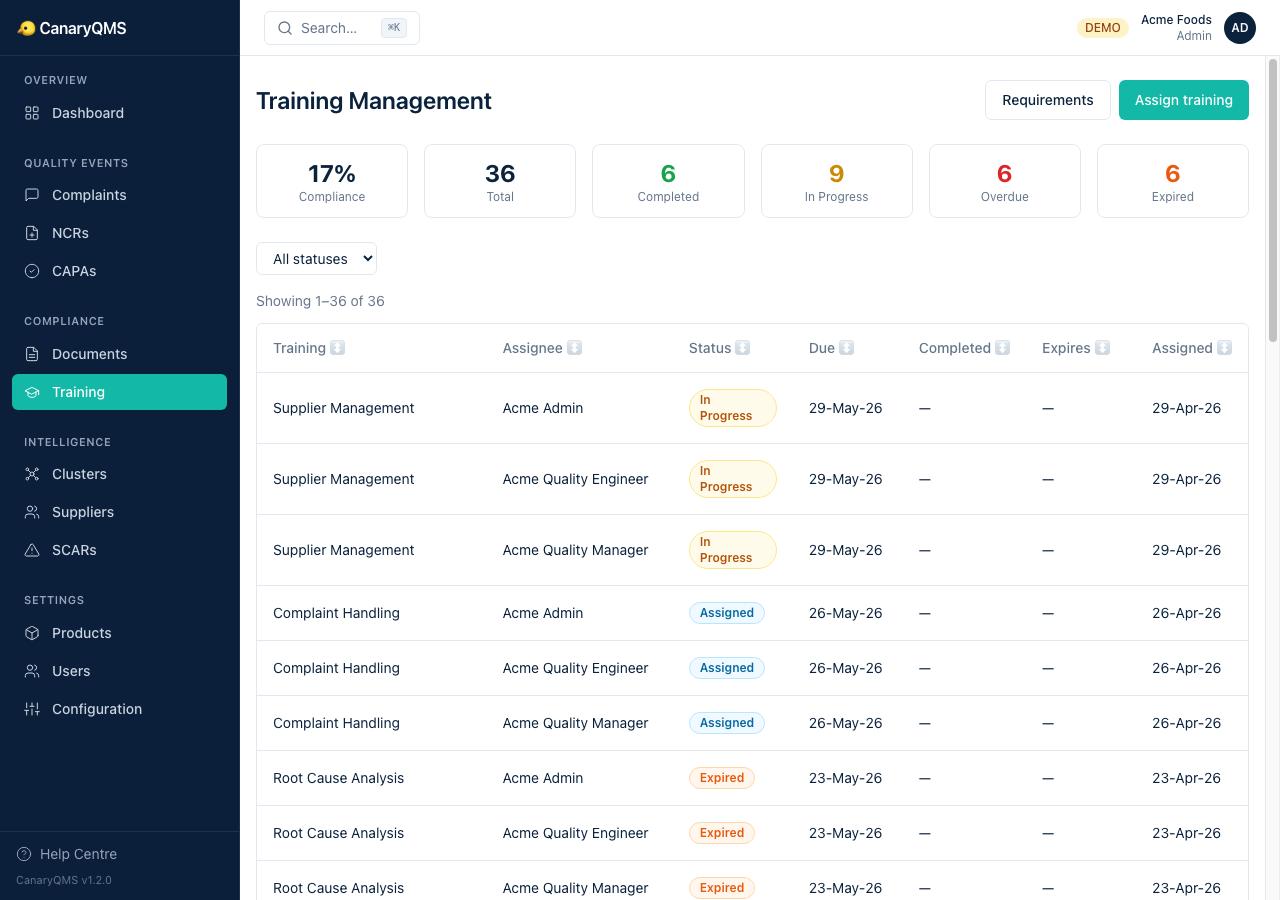
Training Management ensures your team has the competencies required by your quality system. Define what training is needed, assign it to people, track completion, and monitor compliance rates.
Training Requirements
A requirement defines what training is needed: title, type (Document Review, Classroom, On the Job, Online, Assessment), competency level, required roles, recurrence interval, and optionally a linked document.
Assigning Training
Click Assign training, select a requirement and a user, set a due date, and the system creates a training record.
Training Statuses
- Assigned — training has been assigned but not started
- In Progress — user has started but not completed
- Completed — training finished and verified
- Overdue — past the due date without completion
- Expired — recurrence interval has passed, retraining needed
Compliance Dashboard
The Training page shows a compliance summary: total assigned, completed, in progress, overdue, and expired — plus an overall compliance percentage. This is also shown on the main Dashboard.