1. Log a Complaint
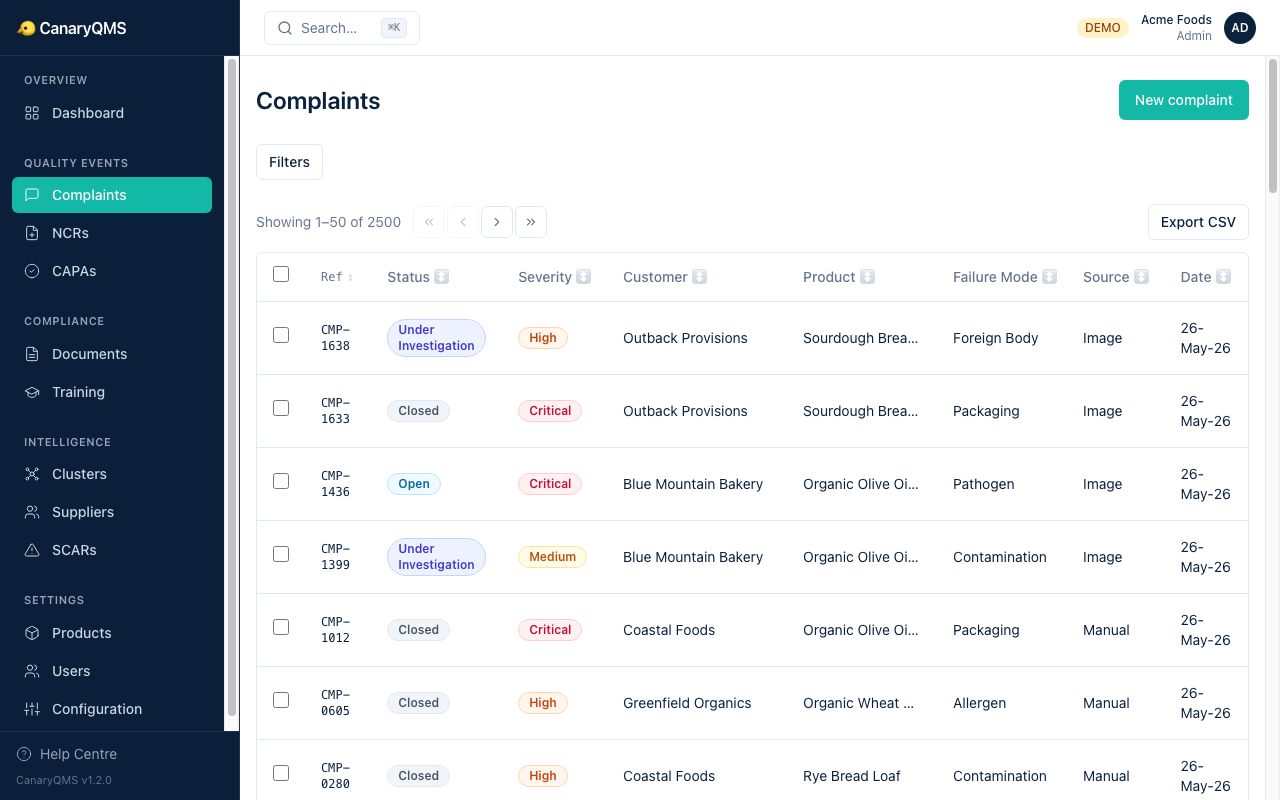
Navigate to Complaints and click New complaint. You have three options:
- Manual entry — fill in the form directly
- Email extraction — paste a customer email and let AI extract the structured data
- Image/PDF upload — upload a photo or document for OCR + AI extraction
The AI will suggest a severity level and failure mode category. Review, adjust if needed, and confirm.
Your complaint gets a unique reference (e.g. CMP-0001) that you can share with colleagues or external systems.
2. Create an NCR
From the complaint detail page, click Create NCR. This links the NCR to the complaint and pre-fills relevant fields.
Choose an investigation methodology:
- 5 Whys — iterative root cause drilling (default for ISO 22000)
- 8D — structured 8-discipline approach (default for IATF 16949)
- Fishbone — Ishikawa diagram with AI-suggested causes
Click Suggest with AI to get root cause candidates with confidence scores and evidence.
3. Generate a CAPA
Once you've confirmed the root cause, click Create CAPA from the NCR. The AI drafts all sections:
- Problem statement
- Containment actions
- Corrective actions
- Preventive actions
- Effectiveness criteria
Review and edit the draft, then submit for approval. A different user (Quality Manager or Approver) must approve it.
4. Track to Closure
The CAPA moves through: Draft → Pending Approval → Approved → Implementing → Effectiveness Check → Closed.
After implementation, verify effectiveness — the system compares post-CAPA complaint rates to the baseline and recommends pass/fail.
5. Check Your Dashboard
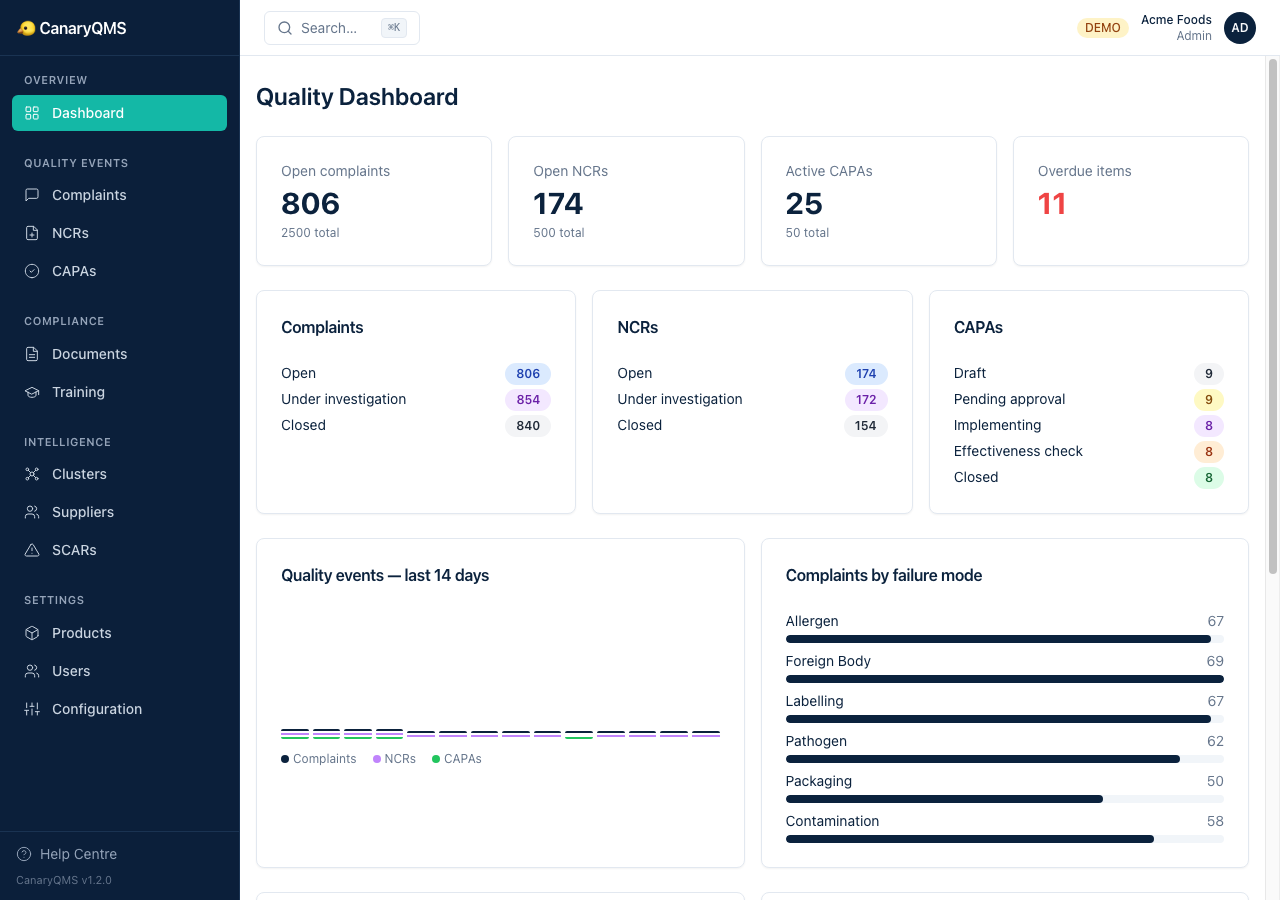
The Dashboard shows live metrics: open complaints, active NCRs, CAPA closure rates, training compliance, and trend charts. Use it to demonstrate continuous improvement to auditors.